OMR File Conversion between musicxml, xml, and score using Ace Studio, Sound Slice and Verovio Humdrum

We report a short study of OMR (optical music recognition) between .xml, .musicxml format and kern format. The conversion task involve three open source online web tools - Ace Studio, Sound Slice, and Verovio Humdrum. We show the result and compatibility of file conversion.
It is advantageous to use web based tools (as opposed to running from terminal on github open source codes). Here we discuss three tools, and compare their output results. We give the links to these tools at the end.
Musicxml, xml, and humdrum Kern conversion
The pipeline of conversion experiments
We first use this image of a music score as gold standard.
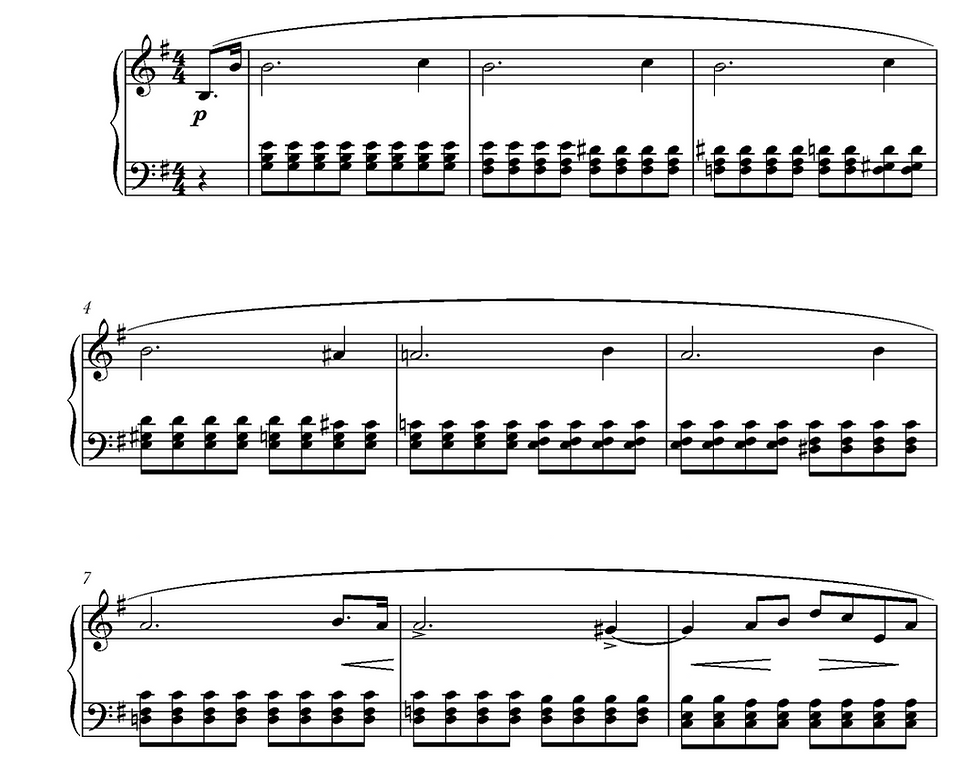
Using Ace Studio, the file is turned into a .musicxml file. One can rename it to .xml but it does not change. A screen shot of the musicxml file is below.

The file is attached and uploaded.
Using Sound Slice, one can create a .xml file. A screenshot is shown below. Notice that two lines of header information are not included.

Sound Slice display the music score after conversion and compare to the original. Here is a screenshot.

When this file is loaded to Verovio Humdrum, here is the output. The xml file has been reformatted.

By clicking the "convert to Humdrum", the file is instantly turned into kern format.
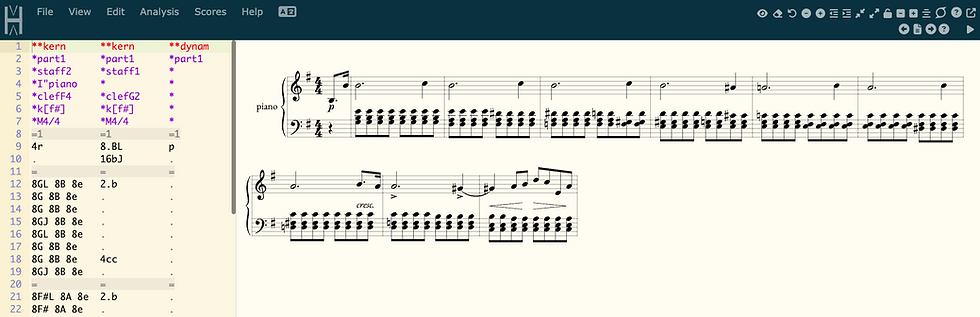
Software control details
For the Verovio Humdrum, one can turn xml to kern by clicking the "convert to Humdrum".


MUSICDIFF Results
We use MusicDiff software to compare three groups:
Group A: xml file created by Sound slice and then editted.
Group B: xml file created by Sound slice and musicxml file created by Ace Studio
Group C: xml file of editted file by Sound Slice to the Kern version.
Group D: Note musicdiff was not able to compare .abc file to .xml file.
Colab at (https://colab.research.google.com/drive/1JEb4EF-KmqbZt30t5OJ4i0-Fbvl5J5kY#scrollTo=f7tut1lPmGyL)
Group A results:
The differences are limited to the three tailored changes made intentionally and synthetically. This proves that when two .xml files are compared the difference distance is very accurate.

Group B results:
Side by side results of musicxml file created by Ace Studio (left) and Sound Slice (right). Note all changes are artificial. It is likely different in xml format but they look the same after rendering (engraving). This shows although the formats are different the music is the same.

Group C results:
It is shown that the kern file and xml file compare favorably. THough two instances of differences are highlighted (in red), these are
not musically different;
likely only a matter of notation synthax ambiguity.

Conclusions
We can draw the following conclusions:
Ace Stuio and Sound Slice can both turn an image score to musicxml file. However, the file extensions are different.
The Ace Studio tool create a file with .musicxml extention.
The sound slice tool create a file with .xml extention.
Sound Slice allows the notes to be editted and saved, hence producing two xml files with tailor precise changes. This may be very handy in OMR studies.
Both the musicxml and xml files can be read by Verovio Humdrum. However, only the xml files created by Sound Slice can be converted to kern format in Verovio.
Note that the conversion may still be possible using github or terminal code runs.
Even when the .musicxml extension is changed to .xml, the Verovio Humdrum still can not convert to kern file.
Using musicdiff, we show that .xml and .kern files comparison of group truth to conversion are exactly identical.
The links to tools
Ace Studio link: http://acestudio.ai and conversion https://acestudio.ai/pdf-to-musicxml/
Sound Slice link: https://www.soundslice.com/
Verovio Humdrum link: https://verovio.humdrum.org/
Editor of this blog: Alina Liu of New Trier Highschool.

Comments